Ads are for
someone else.
Music for your ears.
An ad-free music player. Search any song on YouTube and play it, with no account.
From GitHub · Android 7 and newer · free, no account · How to install
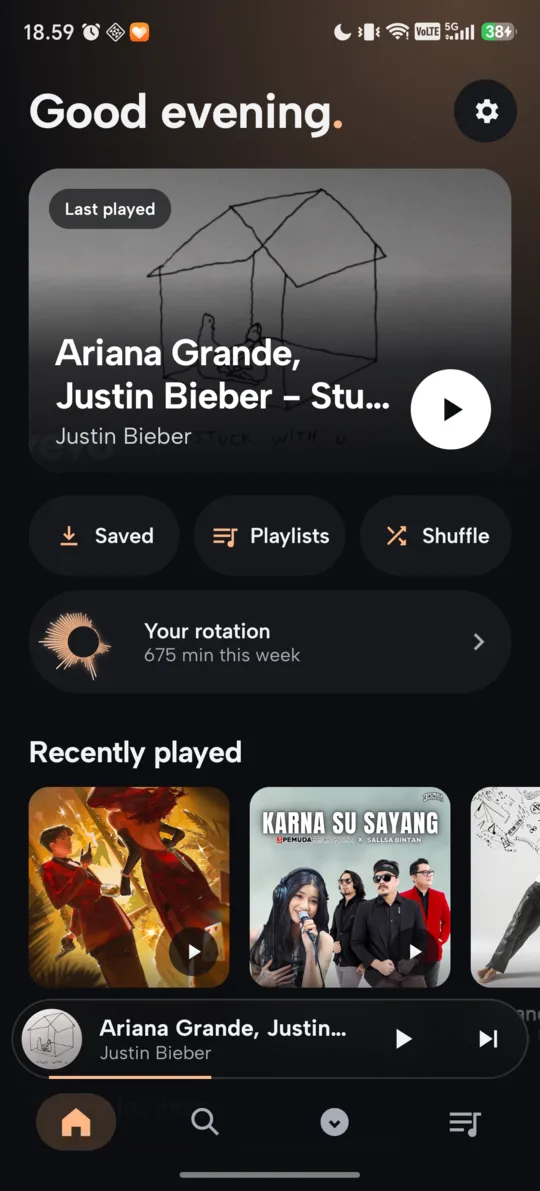
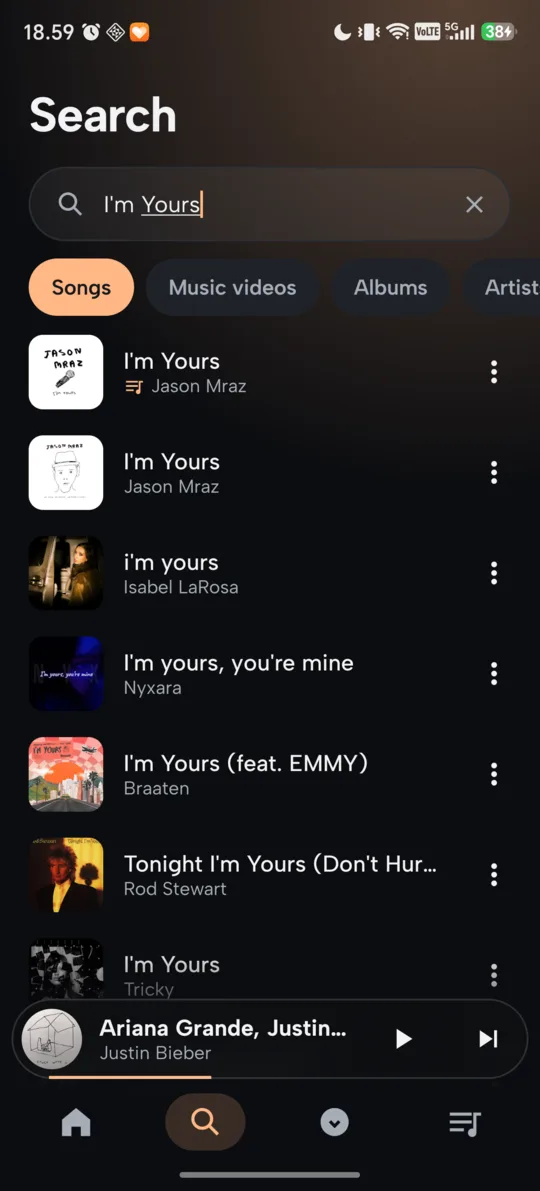
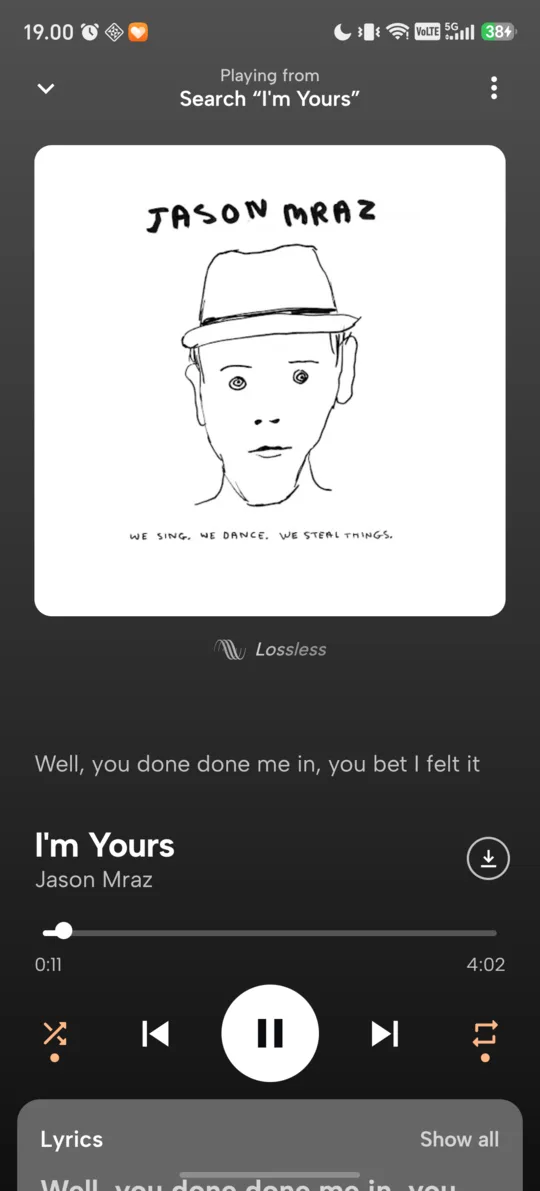
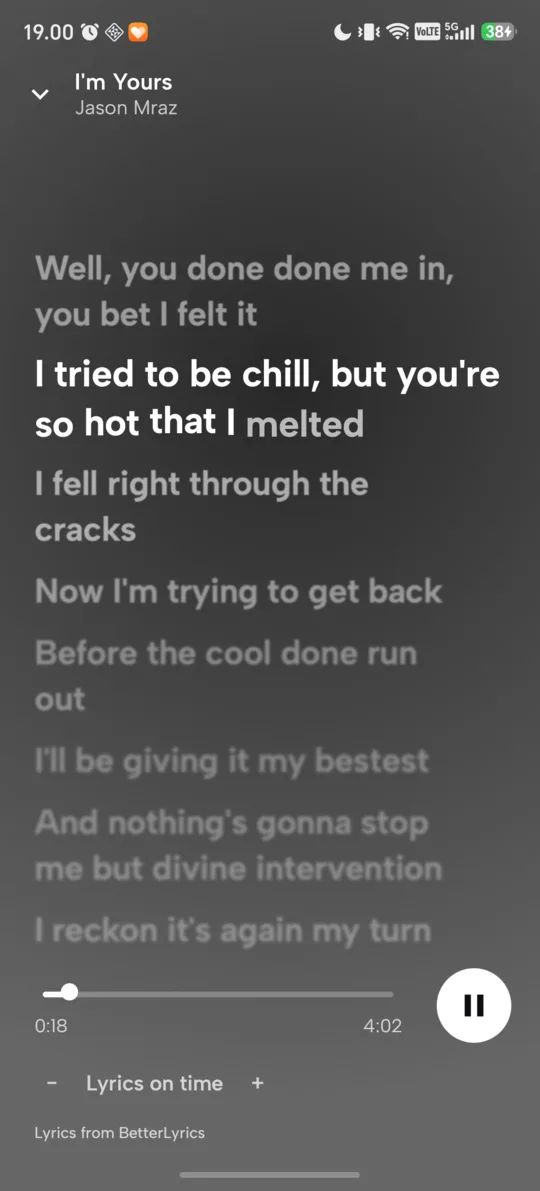
Spotifry on a phone. Pick a screen to see it.
Your last song waits at the top, one tap to play it again, or to open it while it plays. Saved songs, playlists and what you played lately sit one tap below.
Search songs, music videos, albums, artists or playlists. The top results get ready while you read, so a tap plays in under a second.
A big cover, plain controls and a button to save the song to your phone. The lyrics sit right under the controls.
Lyrics light up word by word as they are sung when BetterLyrics has the song, and line by line from LRCLIB when it doesn’t.
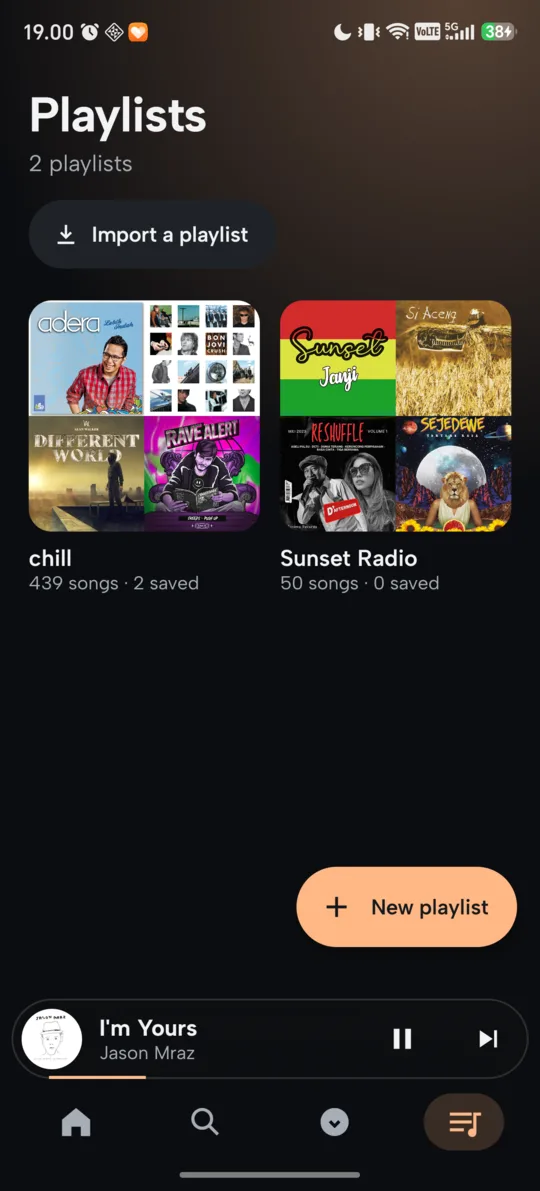
Search, sort or put a playlist in your own order. A public Spotify playlist comes in from its link.
On your computer too.
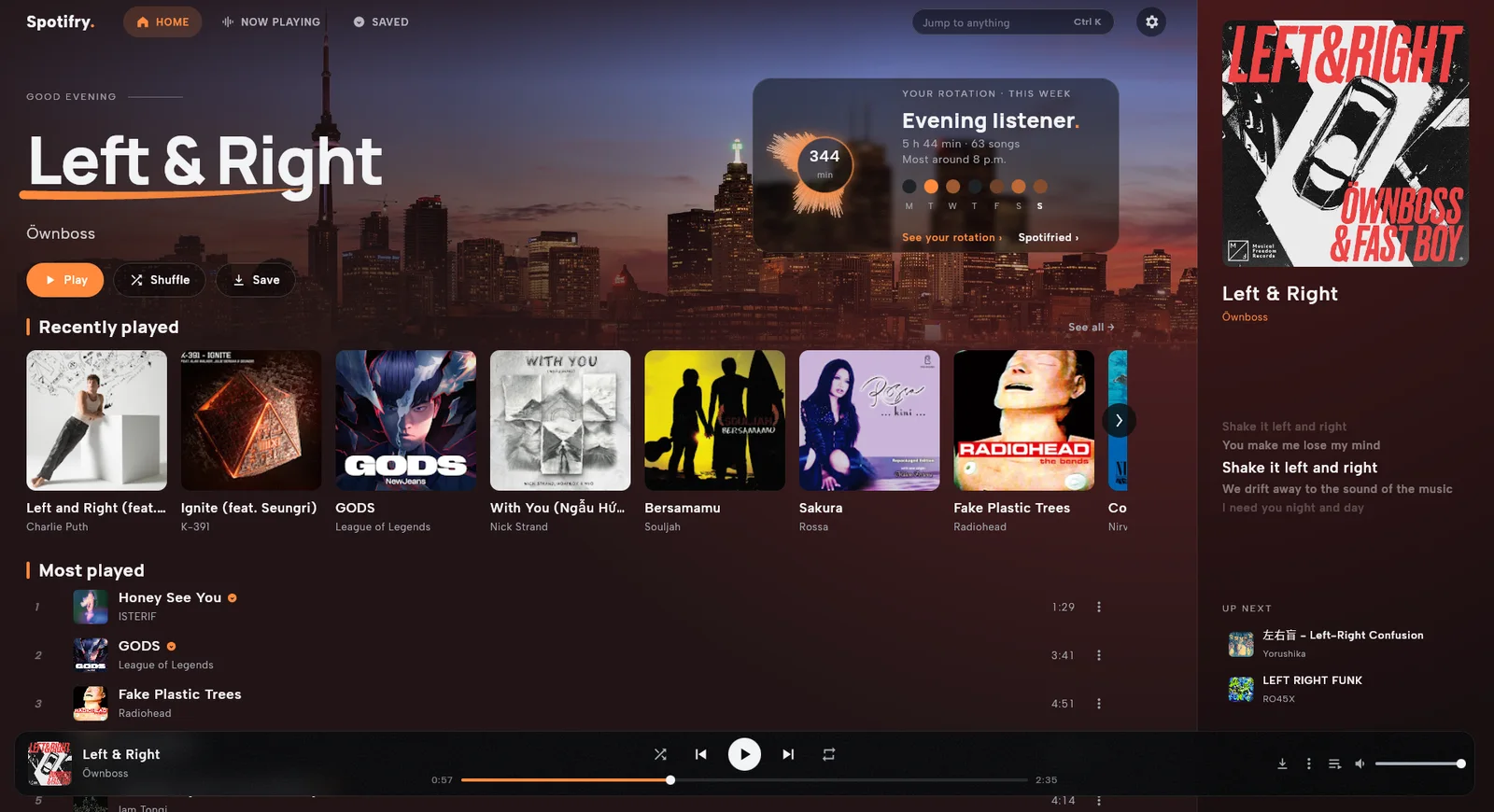
Lyrics beside the song
Lines light up as they’re sung, next to the queue.
Same look, same data
Your rotation and Spotifried work the same as on the phone. Nothing leaves your computer.
Keyboard and media keys
Ctrl K to jump to anything. Play, pause and skip from your keyboard.
No account
Open it and search. It updates itself.
From the first song to the last one at night
- Open it, press play
- No ad breaks in
- Skip all you want
- The talking gets cut
- Sing along, word by word
- Bring your Spotify lists
- Screen off, still playing
- Works on a plane
1 of 8No sign-up, no account, nothing to fill in.
How to install
How Spotifry gets the music
Spotifry reads songs from YouTube right on your phone, through NewPipe Extractor. There is no Spotifry server in between, nothing to sign up for and nothing to pay.
 YouTubewhere the songs are
 NewPipe Extractorreads them, on your phone
 Spotifryplays them
Same song. No ads in the way.
- The ad breakA free app with ads stops the song for an advert.
- The skip limitSkips run out, then a paid plan is offered.
- The sign-in wallNo song before you make an account.
- Spotifry plays straight throughNo ads, no skip limit, no account.
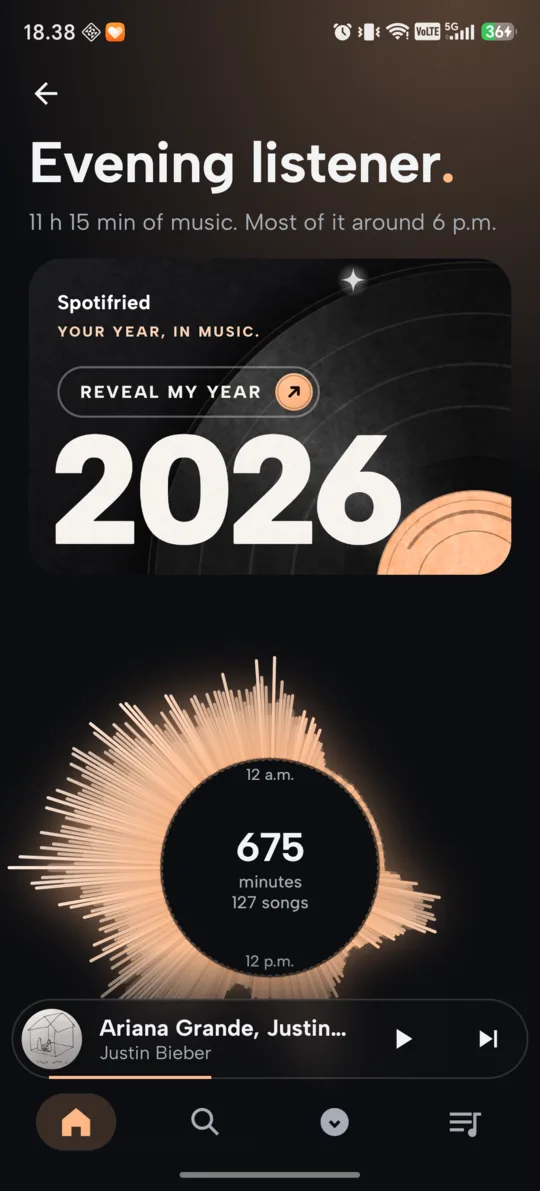
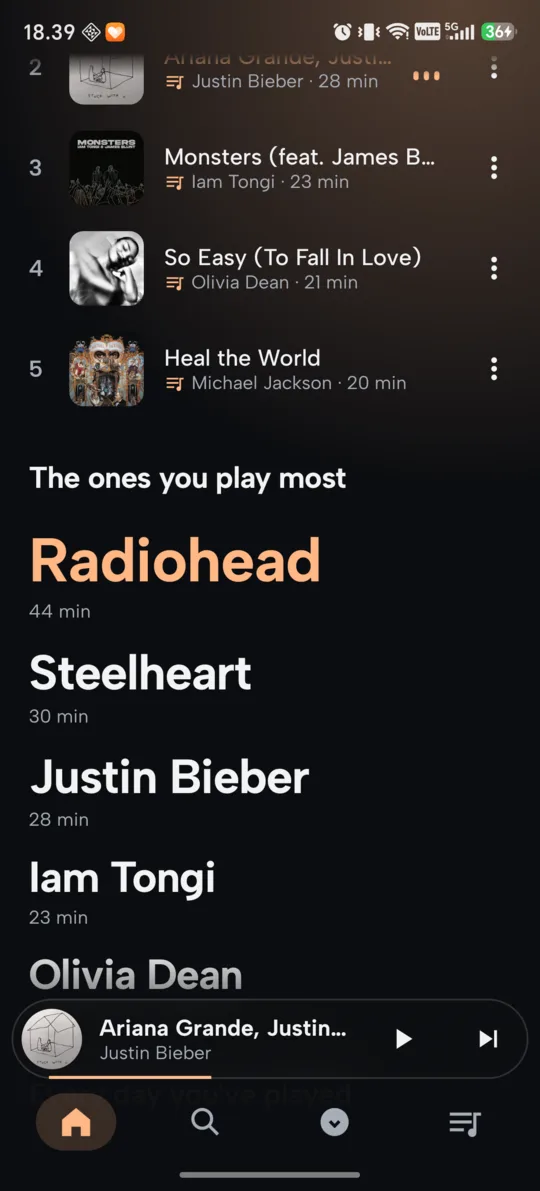
Your rotation. What you really listen to.
A page that adds up your listening: how long, when in the day, which songs and artists you keep coming back to. It all stays on your phone.
- Your hoursMinutes, plays, songs, artists and days, with a picture of the hours you listen most.
- Your top songsThe song you keep coming back to, and the artists you play most.
- Every dayA calendar of the days you played, and your longest run in a row.
- Your yearSpotifried turns your year into cards you can save as pictures.
- For youA 24-song mix on Home, picked from what you play. It changes as you listen, and works offline.
Lyrics that light up as they’re sung
Word by word when BetterLyrics has the song, line by line from LRCLIB when it doesn’t.
Amazing grace, how sweet the sound
That saved a wretch like me
I once was lost, but now am found
Was blind, but now I see
Tune how the music sounds. Set it once and it holds for every song.
Shows the music while you tune it
Ready-made sounds or your own curve, with a live picture of the song as you drag.
Fades one song into the next
The end of a song fades to quiet, then the next one fades in, over 2 to 12 seconds.
Plays every song as loud
Quiet songs come up, loud ones come down, long silences get skipped.
Cuts the talking from videos
Trim a song yourself, or let smart trim drop the talk in music videos.
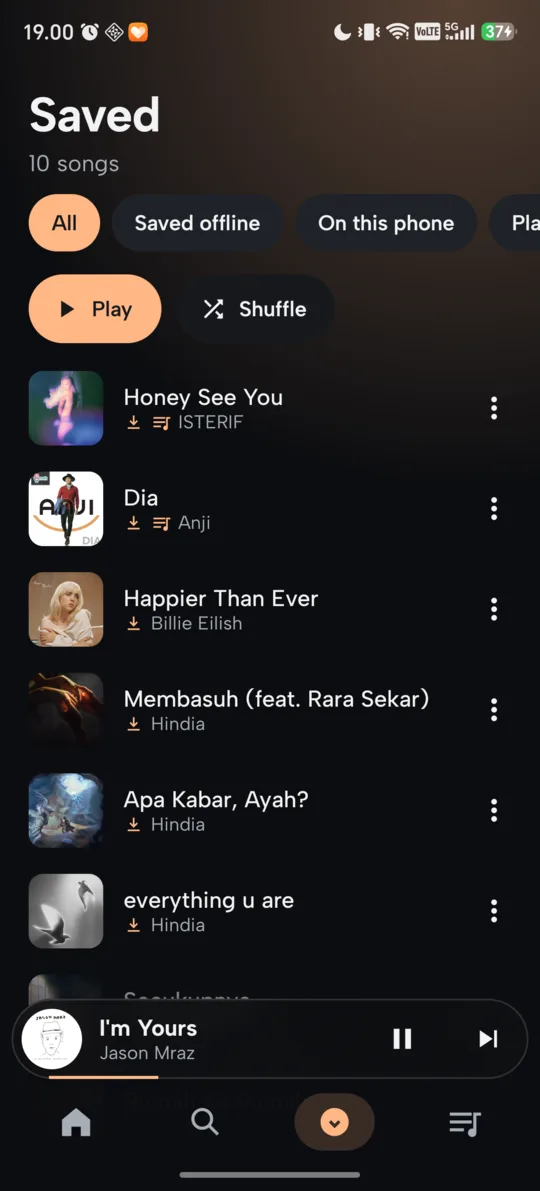
Music that plays without data
Airplane mode on, music still playing. Save the songs you love, and the ones you played lately replay for free.
- Saved songsStay on your phone and play anywhere, no internet needed.
- Free replaysSongs you played lately start at once and use no data. Pick how much space they get, or no limit.
- Data saverLower quality on mobile data, full quality on Wi-Fi.
Playlists and the queue. The parts you touch every day.
Brings in a Spotify playlist
Paste the link of a public Spotify playlist and its songs arrive as a new playlist in the app.
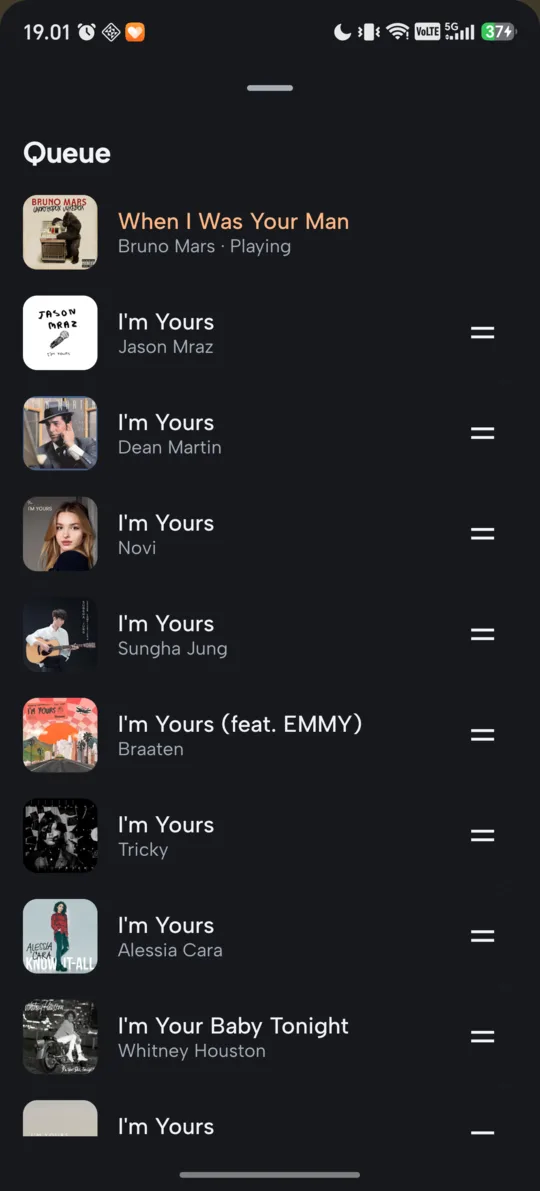
Reorders the queue by drag
Drag a song to move it, swipe it away to remove it. Smart shuffle mixes in songs like the ones you have.
Shares a song as a picture
Send a song or a whole playlist to a friend as a link, a plain list or a picture.
Takes your wallpaper’s colour
Light, dark or the phone’s setting, pure black, and any accent colour, your wallpaper’s included. Playlist and artist names can take one of 8 lettering styles or a logo.
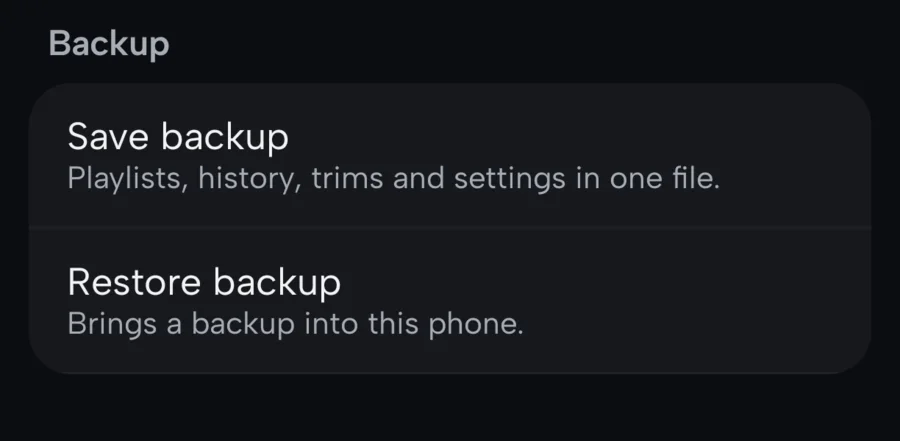
New phone or new computer? Take it all with you.
Your playlists, saved songs, history and settings go into one file. Restore it on a new phone, after a reinstall, or on your computer. The song files aren't in it; saved songs download again.
Install it on your phone in 3 steps. No Play Store, no account.
Download for Android- 1
Get the newest file
On your phone, open GitHub Releases and download the newest Spotifry APK.
- 2
Allow the install once
Open the file. Android asks whether your browser may install apps. Say yes once.
- 3
Let it update itself
The app tells you when a new version is out and installs it. Your songs and playlists stay.
Is it safe to install a file from GitHub? How every release is signed
Questions and the fine print
Spotifry is a hobby project, made for personal use and for learning. Here is what it is and what it isn’t.
- NewPipe Extractorreads YouTube
 Media3 / ExoPlayerplays the songs
 SponsorBlockfinds the talking
 BetterLyrics, LRCLIBbring the lyrics
Does Spotifry cost anything?
No. No ads, no paid features, no subscription, no account, and it collects no personal data.
Is it safe to install an APK from GitHub?
Every release is signed with the same key, and Android only installs an update when the key matches. The source code is public, so anyone can read what the app does.
Will it work on my phone?
Spotifry needs Android 7 or newer. It isn’t on the Play Store; you install the file from GitHub Releases once, and the app updates itself after that.
Does Spotifry host any music?
No. Songs stream from YouTube and belong to their owners. Saved songs stay on your phone.
Is Spotifry made by YouTube or Spotify?
No. It isn’t affiliated with or endorsed by YouTube, Google or Spotify.
What if YouTube search breaks?
YouTube changes its site now and then. Search stays broken until NewPipe Extractor is fixed and a new release comes out.
How do I support the artists behind the music?
Pay for YouTube Music Premium or Spotify Premium if you can, buy their music, go to their shows.